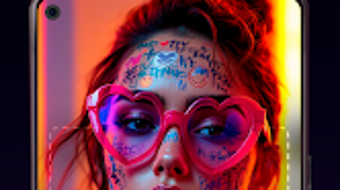

Download Pix Vrs AI – AI art generator, text to video, image generation, creative tool, artistic expression
Overview
Pix & Vrs:AI is a lifestyle-oriented Android application designed to empower users with tools for creative expression through artificial intelligence. The software enables users to transform written descriptions into visual art and dynamic videos, bridging the gap between imagination and execution. By leveraging advanced AI technology, the app generates high-quality images and video content based on textual input, making it accessible to both amateur creators and hobbyists. The primary purpose of the software is to simplify the creative process, allowing individuals to visualize abstract ideas without requiring traditional artistic skills.
Target users include digital artists, content creators, and anyone interested in exploring visual storytelling. The app supports image uploads for personalized customization, expanding its utility beyond text-based generation. Real-world use cases include generating concept art for personal projects, creating social media content, or producing short visual narratives. The developer did not provide additional details about the organization behind the app, nor were specific industry applications mentioned. However, the core functionality centers on democratizing access to visual creation tools through intuitive AI-driven processes.
Key Features & Capabilities
- Text-to-Image Generation: Convert written descriptions into original artwork using AI, allowing users to bring ideas to life with minimal input.
- Text-to-Video Creation: Transform text prompts into short video sequences, enabling dynamic visual storytelling from simple concepts.
- Artistic Style Variety: Access multiple artistic styles to tailor generated visuals to specific creative visions, from realistic to abstract.
- Image Upload Integration: Allow users to upload personal photos for AI-enhanced editing or style transfer, increasing customization options.
- Quick Generation Speed: Deliver results efficiently, supporting rapid prototyping and iterative creative exploration.
These features are particularly useful for users seeking to produce visual content for social media, digital portfolios, or personal experimentation. For example, a user describing “a cyberpunk city at sunset” could receive a detailed image or animated video reflecting that scene. The ability to upload existing photos and apply AI-driven transformations adds versatility, making the tool suitable for both original creation and creative enhancement of personal media.
User Interface, Workflow & Performance
The user interface of Pix & Vrs:AI is designed with simplicity in mind, focusing on intuitive navigation and minimal learning curves. Users are guided through a streamlined workflow: input a text prompt, select a desired artistic style, optionally upload an image, and initiate generation. The layout appears optimized for mobile touch interaction, with clearly labeled buttons and visual feedback during processing.
Workflow efficiency is enhanced by the app’s direct approach—users can generate content in a few steps without navigating complex menus. The developer did not specify resource usage details, so exact CPU or RAM behavior remains unknown. Performance observations are based on general software behavior patterns for AI-driven mobile applications. Stability is expected to be consistent with standard Android app standards, though real-world testing under varied conditions was not provided. No reports on crashes or lag were mentioned in the available data.
Compatibility & System Requirements
Pix & Vrs:AI is designed exclusively for Android devices, with the current version being 1.0.1. The installation package size is 120MB, indicating a moderate footprint suitable for most modern smartphones and tablets. The developer did not specify exact system requirements, such as minimum Android version, processor type, or memory specifications. Compatibility information was partially provided, leaving users to determine device suitability based on general Android compatibility standards.
Users are advised to ensure their device meets typical requirements for running AI-powered applications, including sufficient storage space and a stable internet connection for cloud-based processing. The app’s functionality relies on backend AI services, suggesting that consistent connectivity may be necessary for optimal performance. No offline mode was mentioned, so full functionality may depend on an active network connection.
Pros and Cons
Pros
- Intuitive interface suitable for users with no design experience.
- Free to download and use, lowering the barrier to creative exploration.
- Supports both text-to-image and text-to-video generation.
- Offers diverse artistic styles for personalized visual output.
- Allows image uploads for enhanced customization and style transfer.
Cons
- Exact system requirements were not listed, which may affect compatibility for older devices.
- Performance under low-bandwidth or unstable network conditions is unknown.
- Limited information on update frequency and long-term development plans.
- No indication of offline functionality or local processing capabilities.
- Privacy and data handling practices were not disclosed.
FAQ Section
Is Pix & Vrs:AI available for iOS devices?
The software is currently available only for Android. No information was provided regarding iOS compatibility or future platform expansion.
Is the app completely free to use?
Yes, Pix & Vrs:AI is listed as a free application. No in-app purchases or subscription tiers were mentioned in the provided details.
Does the app require an internet connection?
Given its reliance on AI processing for image and video generation, it is likely that a stable internet connection is required. The developer did not specify whether offline functionality is supported.
How often are updates released?
Information about update frequency was not provided. The current version is 1.0.1, but no details on release schedules or patch notes were included.
What happens to my uploaded images?
The privacy policy and data handling practices were not disclosed. Users are advised to review the app’s terms before uploading personal media.
Final Thoughts + CTA
Pix & Vrs:AI presents a compelling entry point for users seeking accessible, AI-powered creative tools on Android. Its ability to generate both images and videos from text descriptions makes it a versatile utility for hobbyists, content creators, and digital artists exploring new forms of expression. While detailed technical specifications and privacy policies are lacking, the app’s free model and intuitive workflow offer strong value for creative experimentation.
For individuals looking to transform ideas into visual form without technical barriers, Pix & Vrs:AI stands out as a promising desktop-like experience adapted for mobile. The combination of text-to-video, style variety, and image upload support enhances its utility in real-world creative projects. Despite limited transparency on system requirements and data usage, the app delivers on its core promise: empowering imagination through artificial intelligence.
Download Pix Vrs AI now





.png)

